 garajiz
● Work order
Work order software: one record from check-in to delivery.
Vehicle check-in, diagnosis, parts and labour items, customer approval and delivery all move forward on the same work order. No more information lost between paper work order forms, Excel and WhatsApp messages.
01 Headaches you leave behind
What does it solve?
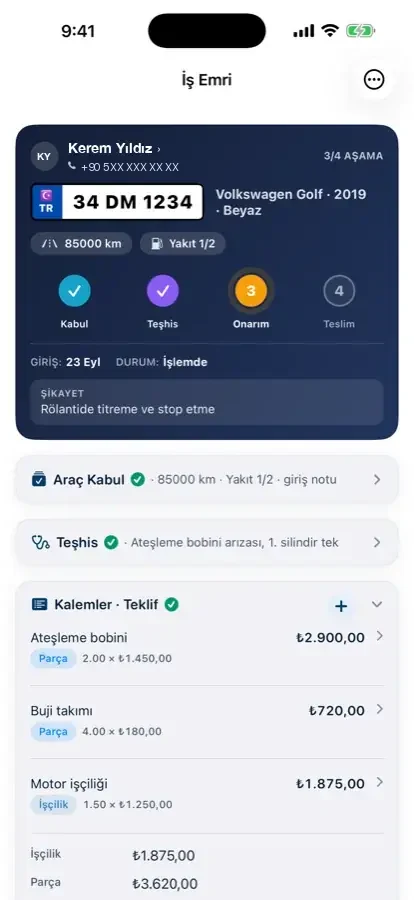
Work orders are opened on the phone; their history is always searchable.
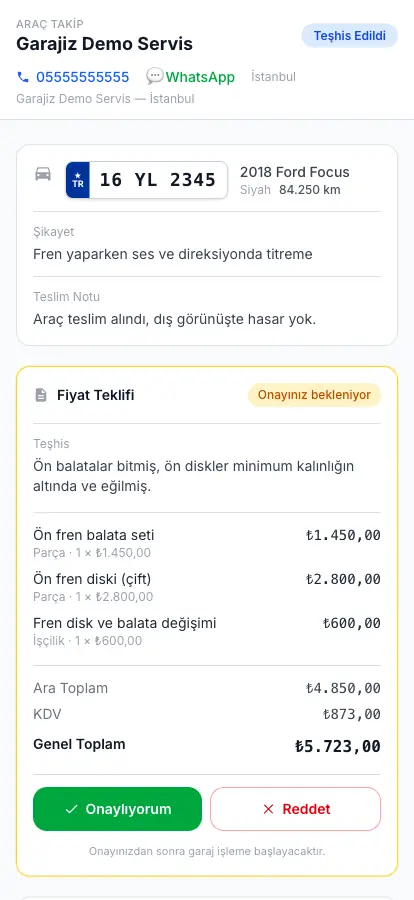
The customer approves the quote from a link; the approval is recorded with the date, time and approved amount.
Parts and labour are written item by item and deducted from stock.
02 Step by step
How does it work?
The work order is opened
Type the plate and the saved customer and vehicle appear. For a new car, the web panel fills in the make and model year from the VIN.
Diagnosis and items
The fault description, fault codes, parts and labour items are added; VAT and the total are calculated automatically.
The customer approves
The quote link and PDF go out over WhatsApp, or you copy the link and share it on any channel; the customer taps “Approve” or “Reject”.
The job is closed
Delivery, the proforma invoice and payment are all done from the same work order; the job goes into the vehicle's history.
● Real output
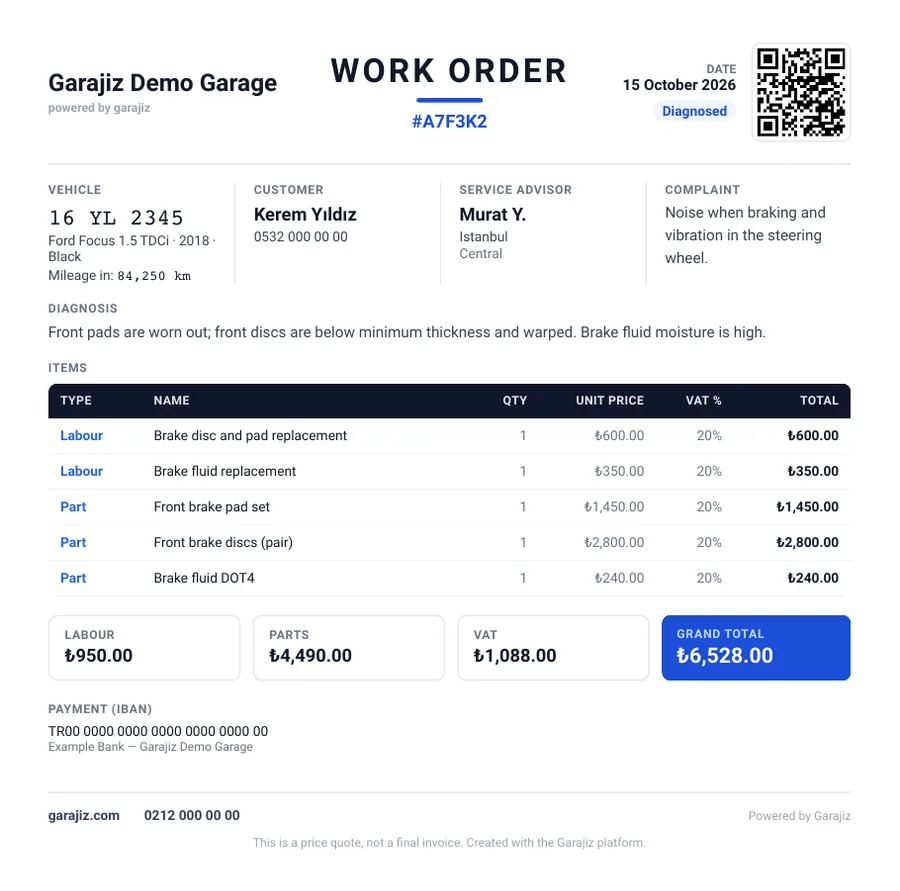
This is what the work order / quote PDF your customer receives looks like.
The moment you add items to the work order, the work order / quote PDF is ready: your shop name, a tracking link with QR, parts and labour item by item, VAT, grand total and IBAN. It's sent to the customer over WhatsApp or printed.
A sample made with Garajiz's work order / quote PDF generator; the shop, customer, IBAN and QR are examples. PDFs come out in your app language (English or Turkish).
▶ See it on video
How to open a work order: Garajiz in 30 seconds
Opening a new work order in Garajiz: one tap from the home screen, plate and vehicle details, vehicle check-in.
▶ See it on video
Check-in, diagnosis, repair, delivery: work order stages
Stages on a Garajiz work order such as check-in, diagnosis, repair and delivery. The customer sees every stage from the tracking link.
03 Features
What's included?
No add-on modules: everything below is in Garajiz's single plan, together with every other feature.
- Itemised quote — parts, labour, VAT, total
- Digital customer approval — time-stamped approval record with the approved amount
- Work order / quote PDF — with your logo, shareable
- Fault code (OBD) guide — code explanations inside the work order
- Inspection and checklist templates — a standard checklist
- Supplier quotes — prices from several suppliers for the parts on the work order
- Photos — damage and job photos attached to the work order
- Activity history — who changed what, and when
● Free template
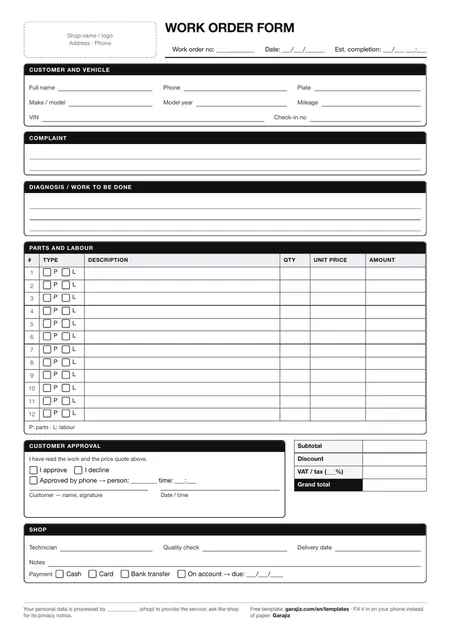
Work order form (PDF)
A printable A4 form for the complaint, diagnosis, parts and labour items and the customer's signature. For anyone who wants to work tidily on paper before switching to software.
04 Questions
Frequently asked.
Can I use the work order software from my phone?
Yes. In the iPhone app (download it from the App Store) you open work orders, add photos and send quotes; on computers and tablets it works in the browser with the same account.
Is the customer's approval legally valid?
Approval or rejection is saved on the work order with the date, time and approved amount. This record helps show what was approved; for a legal assessment, consult your lawyer.
Can I invoice from the work order?
A proforma invoice is created from the work order and the payment is recorded. There is no Turkish e-invoice (e-Fatura / e-Arşiv) integration yet.
Can I import my old work order forms?
Old paper forms aren't imported automatically. The customer and vehicle are saved when you open their first work order; you open new work orders in Garajiz from day one.
05 Related pages
All in the same software.
● Start today
Try it free for 14 days.
No card. Every feature unlocked. No setup.