 garajiz
● Online booking
Auto repair booking software: as many cars as you have lifts.
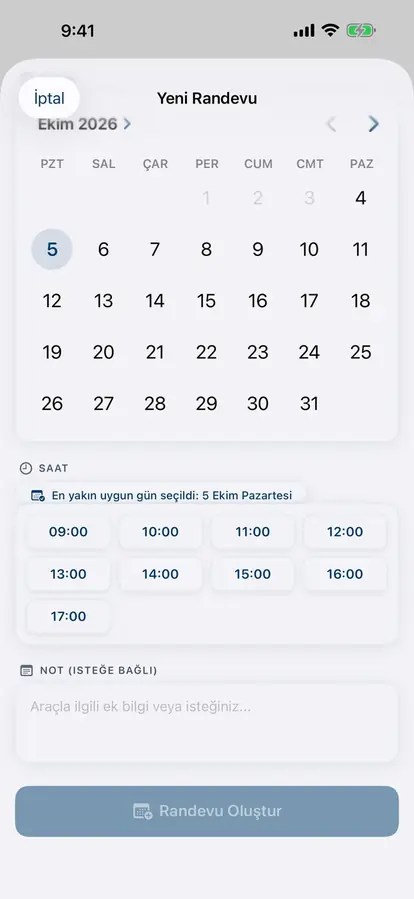
For each day you set opening and closing times, booking length and how many cars you can take at once. Your customer sees and picks only truly free slots, from the app or from your shop page on Google.
01 Headaches you leave behind
What does it solve?
The customer sees free slots and sends a request themselves.
When capacity is full, that slot closes to customers.
The request arrives as a notification; approved with one tap.
02 From the workshop
The booking notebook doesn't know how many lifts you have.
A booking taken by phone is written in a notebook; the notebook doesn't know how many lifts are busy at that hour or which technician is off. The result is familiar: three cars arrive at the same time, one waits at the door, another slips to the next day, and next time the customer goes elsewhere.
In Garajiz you enter opening and closing times for each day, the booking length and how many cars you can take at once. From the vehicle owner app or your storefront page on Google, the customer sees only slots that are truly free. If two people want the last spot at the same moment, the system accepts only one.
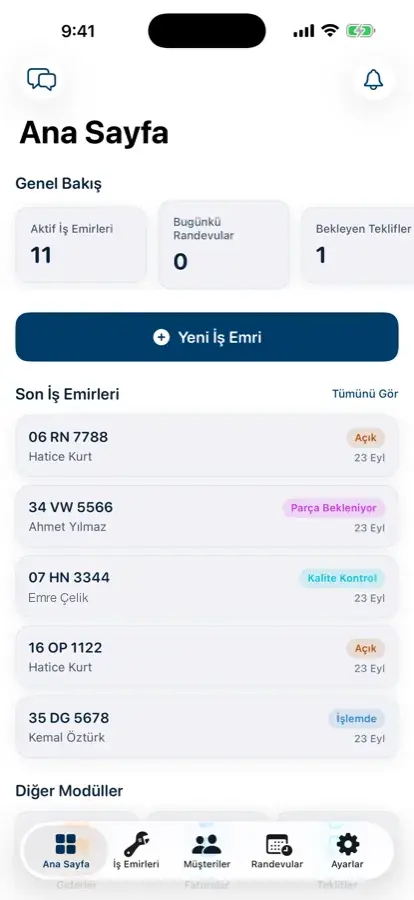
The request reaches you as a notification; you approve or reject it. When you change capacity, the new value is reflected in that day's free slots immediately, and bookings already approved are not cancelled. When the car arrives the booking turns into a work order; check-in, quote and payment move forward on the same record.
03 Step by step
How does it work?
Enter your working hours
Opening and closing times day by day, booking length and the number of cars at once (your lifts).
Mark closed hours
Hours you close (time off, holidays, custom blocks) are not shown to customers.
The customer picks a time
Only free slots are open in the app or on your shop page; a full slot can't be booked.
You approve
The request arrives as a notification; when you approve, the customer is notified.
▶ See it on video
Shop booking system: no more chaos
Online booking requests on one screen; the customer picks a free slot, the shop approves.
04 Features
What's included?
No add-on modules: everything below is in Garajiz's single plan, together with every other feature.
- Capacity day by day — lower it on Saturday if fewer technicians are in
- Leave and holiday closures — closed hours aren't open for booking
- Double-booking prevention — if two people want the last spot, only one is accepted
- Your shop page on Google — bookings are made straight from the storefront
- Notification and approval — requests arrive instantly
- From booking to work order — when the car arrives the booking becomes a work order
- Scheduled service plans — see customers whose service is due
- Reminders for vehicle owners — inspection and service dates in the vehicle owner's app
05 Questions
Frequently asked.
Where does the customer book from?
From the Garajiz vehicle owner app or from your shop's storefront page shown on Google. Both show the same free slots.
What happens if my number of lifts changes?
You update capacity for any day; the new value is reflected in that day's free slots immediately. Bookings already approved are not cancelled.
Are bookings approved automatically?
No. The request reaches you as a notification; you approve or reject it.
Is the booking software paid?
It isn't a separate module; it's in the single plan with every feature, and you can try it free for 14 days.
06 Related pages
All in the same software.
● Start today
Try it free for 14 days.
No card. Every feature unlocked. No setup.