 garajiz
● Auto electrical and electronics
Auto electrical shop software: find the fault, explain it to the customer.
In auto electrics, half the job is finding the fault and the other half is explaining to the customer why it cost that much. Garajiz shows the fault code's description inside the work order, turns your diagnosis into language the customer understands on compatible iPhones, and gets the approval in writing.
01 Headaches you leave behind
What does it solve?
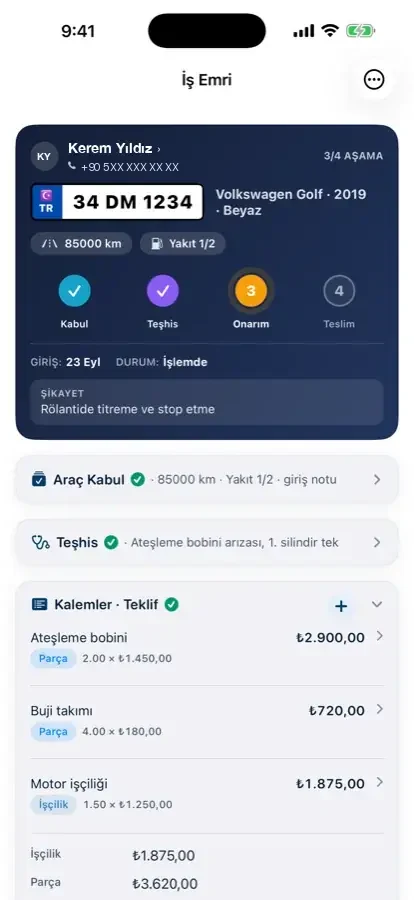
Diagnosis appears on the quote as a separate labour item and is approved.
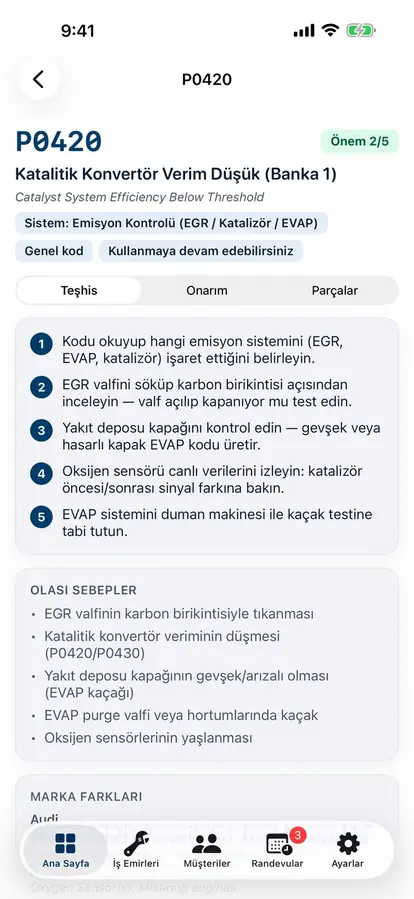
Descriptions of more than 13,000 fault codes inside the work order.
On compatible iPhones, AI writes your diagnosis in plain language; you read it and send it.
02 From the workshop
Electrical faults are invisible; trust is built in writing.
The battery keeps going flat, but is it the alternator, a parasitic drain or a module? An auto electrician measures for hours, traces wiring and sometimes only catches the fault the next day. The customer sees only the invoice. That's why which code was read, what the diagnosis was and what will be done should all be on record.
On a Garajiz work order, the complaint, fault codes and diagnosis are separate fields. Type a code and its description appears; in the Electrical & Electronics section of the inspection template, battery voltage (V), charging system, lights and indicators, window and mirror motors, dashboard warning lights and central locking are ticked one by one. High-voltage sections for hybrid and electric cars are ready in the template and appear only for cars with that fuel type.
For the customer it stays simple: they open the tracking link, read the diagnosis and approve or postpone each issue found. A postponed finding stays on record too; the customer can't later dispute what they knowingly put off.
03 Step by step
How does it work?
Write the complaint
The symptom the customer describes goes on the work order; a saved car comes up by plate, and for a new car the web panel fills in the make and model year from the VIN.
Enter the codes
You type the fault codes you read with your scanner; Garajiz shows each code's description.
Explain the diagnosis
You write your diagnosis; in the iPhone app (on devices with Apple Intelligence) AI turns it into an explanation the customer understands, and you edit and send it.
Approval and repair
Diagnosis, parts and labour items go out as a quote; the customer approves from a link and the job starts.
▶ See it on video
Clear explanations for customers, written by AI
The Garajiz iPhone app (on devices with Apple Intelligence) writes the diagnosis in words the customer understands; you read, edit and send it.
04 Features
What's included?
No add-on modules: everything below is in Garajiz's single plan, together with every other feature.
- OBD fault code guide — 13,000+ code descriptions (P, C, B, U)
- Customer explanation with AI — nothing goes out until you approve it (in the iPhone app, on devices with Apple Intelligence)
- Electrical check template — battery, charging, lighting, warning lights
- Hybrid and electric vehicle sections — by fuel type
- Customer decision per finding — approve or postpone
- Make and model year from the VIN — in the web panel
- Records with photos — burnt connector, measurement screen, wiring
- Technician screen — technicians see the jobs in the workshop and add items; prices, cash and finance stay hidden
● Free template
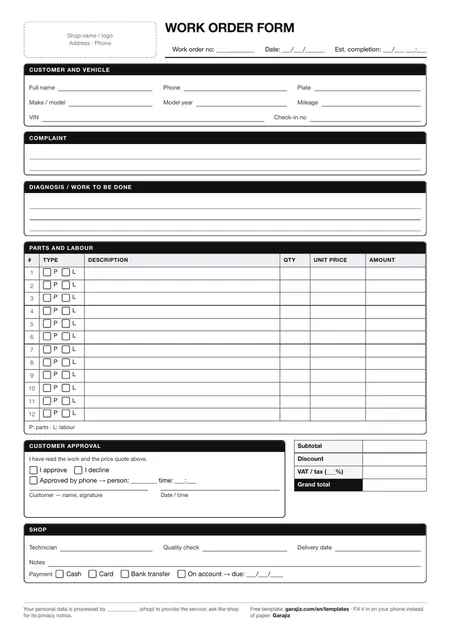
Work order form (PDF)
A printable A4 form for the complaint, diagnosis, parts and labour items and the customer's signature. For anyone who wants to work tidily on paper before switching to software.
05 Questions
Frequently asked.
Does Garajiz connect to my diagnostic scanner?
No. You read the codes with your own scanner and enter them in Garajiz. Garajiz shows the code's description and saves it on the work order.
Does the AI-written explanation go straight to the customer?
No. The explanation is generated on the iPhone itself from your diagnosis (on devices with Apple Intelligence); you read it, edit it and send it if you're happy.
Which codes does the fault code guide cover?
It describes more than 13,000 codes, including OBD-II standard powertrain (P), chassis (C), body (B) and network (U) codes and some manufacturer-specific codes.
How should I show the diagnosis fee to the customer?
Add the diagnosis to the quote as a separate labour item. The customer sees this item and its description when approving.
06 Related pages
All in the same software.
● Start today
Try it free for 14 days.
No card. Every feature unlocked. No setup.