 garajiz
● For vehicle owners
Vehicle service history: your maintenance in one passport.
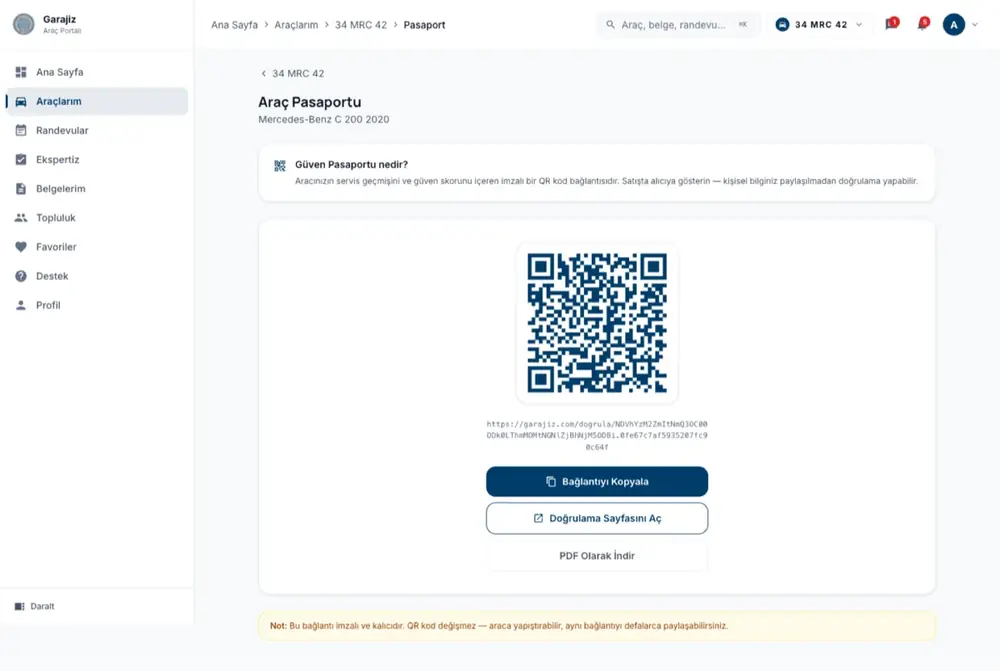
Work done on your car at shops using Garajiz is gathered in your car's history in your vehicle owner account. The vehicle passport you share when selling is a summary of that history without personal information; the buyer scans the QR and verifies it. This is not a TRAMER or damage record check.
01 Headaches you leave behind
What does it solve?
The passport shows the number of services, how many different shops serviced it and the month of the last service.
When the shop closes the job, it goes into your car's history.
A verification page and a tamper-evident verification hash.
02 From the workshop
What you see and what you don't
What you see: when your car is serviced or repaired with a work order at a shop using Garajiz, the job is added to your car's history by matching the VIN. The passport shows make, model, year and fuel type, how many times it has been serviced, at how many different shops, the month of the last service, a summary of inspection findings (OK / attention / faulty) and, if available, a paint/replaced-panels summary from the latest body diagram, together with a trust score.
What you don't see: work done at shops that don't use Garajiz isn't in the passport; it isn't a record of every shop in Turkey. TRAMER records, insurance damage files, official mileage records and lien or seizure information aren't in Garajiz; use the official channels for those.
The passport is designed to minimise personal data: the middle of the plate and part of the VIN are hidden, the owner's name isn't shown, and only the month of the last service is visible. The QR code doesn't change; you can stick it on the car and share the same link as often as you like. When you sell the car, you transfer the passport to the new owner.
03 Step by step
How does it work?
Add your car
Add your car to your vehicle owner account with its plate and VIN.
Shop jobs are recorded
Work orders opened at a shop using Garajiz are matched to your car and added to its history.
Open the passport
You open the passport from your car's page; the QR code and verification link are ready, and it can also be downloaded as a PDF.
Share it with the buyer
The buyer scans the QR and sees the summary on the verification page; after the sale you transfer the passport to the new owner.
04 Features
What's included?
No add-on modules: everything below is in Garajiz's single plan, together with every other feature.
- Vehicle passport — number of services, number of shops, month of last service
- A QR code that never changes — can be stuck on the car
- Verification page — tamper-evident verification hash
- Download as PDF
- Inspection findings summary — OK, attention, faulty
- Paint / replaced panels summary — from the latest body diagram
- No personal information — masked plate and VIN
- Passport transfer — to the new owner when the car is sold
Coming in the next versionThe vehicle passport contains only records from shops using Garajiz; it isn't a TRAMER, insurance damage record or official mileage check. Inspection, insurance and driving licence reminders are available today; the Vehicle File, where you'll also keep comprehensive insurance, emissions test and road tax dates on one screen, is coming in the next release.
● Free template
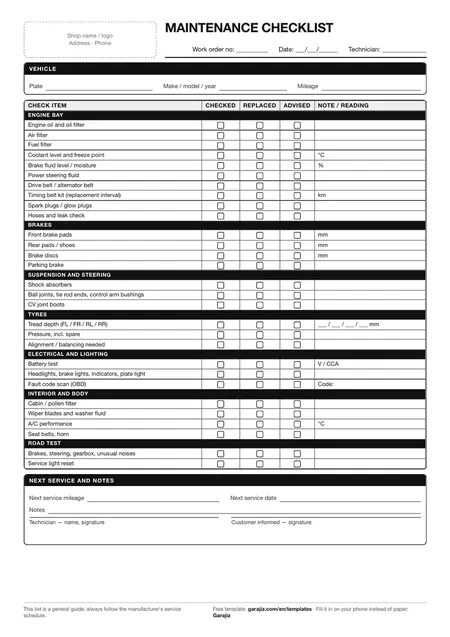
Scheduled maintenance checklist (PDF)
29 items in 7 groups: a printable checklist for oil, filters, brakes, tyres, battery and fluid checks. For anyone who wants to work tidily on paper before switching to software.
05 Questions
Frequently asked.
Does the vehicle service history check cover every shop?
No. Only work done with a work order at shops using Garajiz appears. It isn't a record of every shop in Turkey.
Is this a TRAMER or damage record check?
No. Garajiz doesn't look up insurance damage records, TRAMER (Turkey's insurance damage database) or official mileage records. Use the official channels for those.
Can I look up someone else's car history by plate?
No. The history is seen through the passport QR or link shared by the vehicle owner; personal details are hidden.
Can I see my car's status while it's at the shop?
Yes. From the link or QR sent to you, you see which stage your car is at and the estimated delivery.
06 Related pages
All in the same software.
● Start today
Keep your car's history on record.
Add your cars with a vehicle owner account; work done at shops using Garajiz goes into your history.