 garajiz
● Repair price quotes
Auto repair quote software: prices in writing, approvals on record.
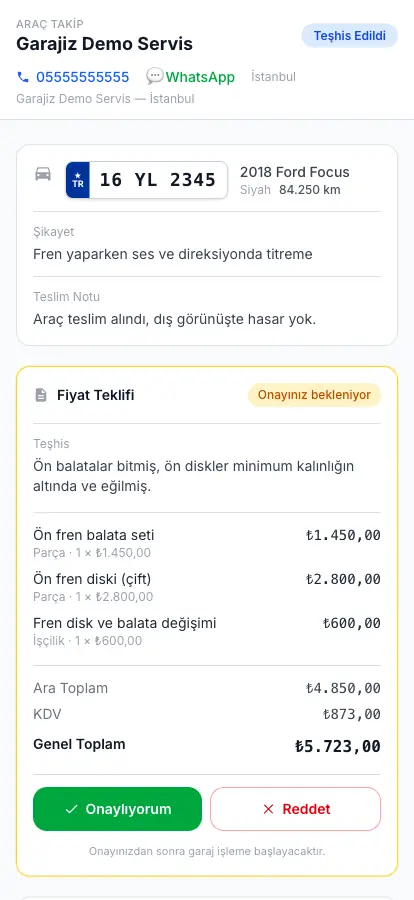
A price given verbally turns into an argument when the job is done. In Garajiz the quote is written item by item, VAT is calculated and it's prepared as a PDF. The customer opens the link, sees the items and approves from their phone; approval or rejection is recorded on the work order with the date, time and approved amount.
01 Headaches you leave behind
What does it solve?
The customer sees on their own phone what they approved, and for how much.
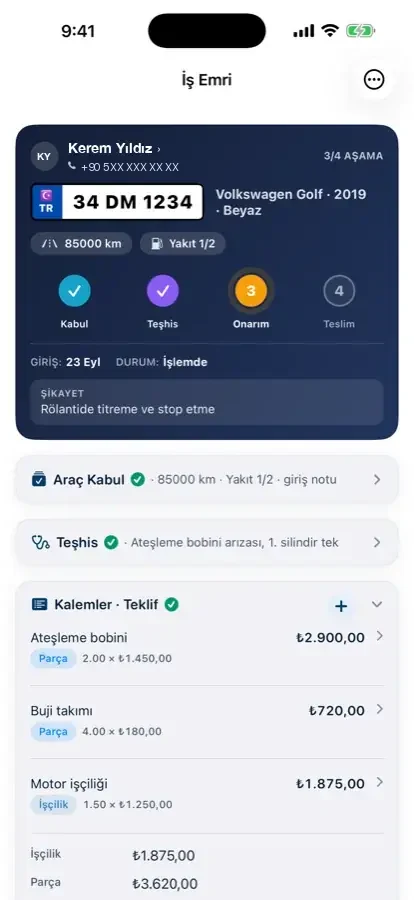
Every issue found during inspection goes to the customer separately; they approve or postpone it.
The PDF is ready as soon as you add the items.
02 From the workshop
A good quote ends the argument before the job starts.
Customers haggle when they first hear the price, and when the job is done they remember the conversation differently. A written quote, with parts and labour shown separately and VAT stated up front, removes most of that argument.
Garajiz prepares the quote on the work order. Parts items come from stock or supplier prices, you write the labour items; quantity, unit price, VAT and grand total are calculated automatically. The same items produce a PDF with your shop name, your IBAN and a QR code to the tracking link.
The customer opens the quote from a link; no app download or sign-up needed. They tap “Approve” or “Reject”; the decision is saved on the work order with the date, time and approved amount. An approved quote becomes a job, and a rejected quote stays on record too.
03 Step by step
How does it work?
Write the items
Parts and labour are separate items; enter quantity and unit price, VAT and total are automatic.
Protect your cost
You add your margin to parts from suppliers; the customer sees only the selling price.
Send it by link
The quote link and PDF go out over WhatsApp, or you copy the link and share it on any channel.
Record the approval
When the customer approves, the work order moves forward; approval or rejection is stored with the date, time and approved amount.
● Real output
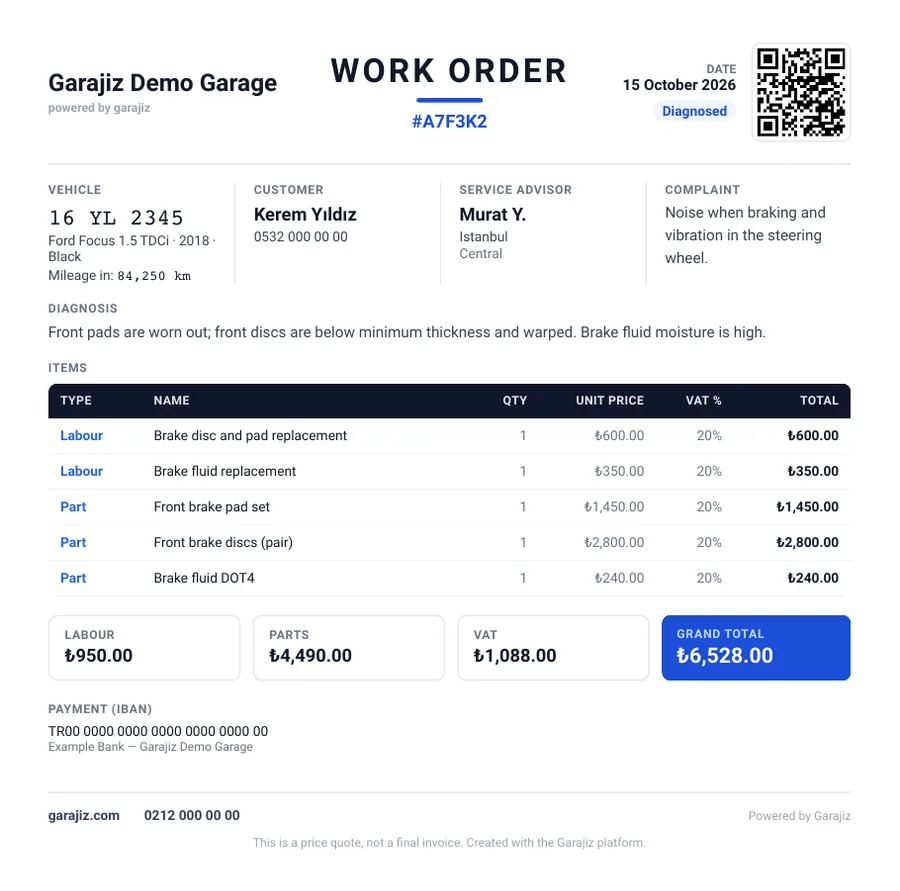
Work order / quote PDF: items, VAT, IBAN and QR.
This PDF is a sample made with Garajiz's work order / quote PDF generator. Shop details are at the top, parts and labour items in the middle, and VAT, grand total, an IBAN for payment and a QR code for the customer to track their car at the bottom. Print it or send it over WhatsApp.
A sample made with Garajiz's work order / quote PDF generator; the shop, customer, IBAN and QR are examples. PDFs come out in your app language (English or Turkish).
▶ See it on video
How to prepare a parts and labour quote
Quotes in Garajiz: parts and labour items, quantity and unit price, VAT calculated automatically.
04 Features
What's included?
No add-on modules: everything below is in Garajiz's single plan, together with every other feature.
- Itemised quote — parts and labour separate
- Automatic VAT and grand total
- Work order / quote PDF — shop details, IBAN, tracking link with QR
- Customer approval by link — no app needed
- Time-stamped approval record — with the approved amount
- Decision per finding — extra work is approved or postponed item by item
- Margin and hidden cost
- Quotes from supplier prices
● Free template
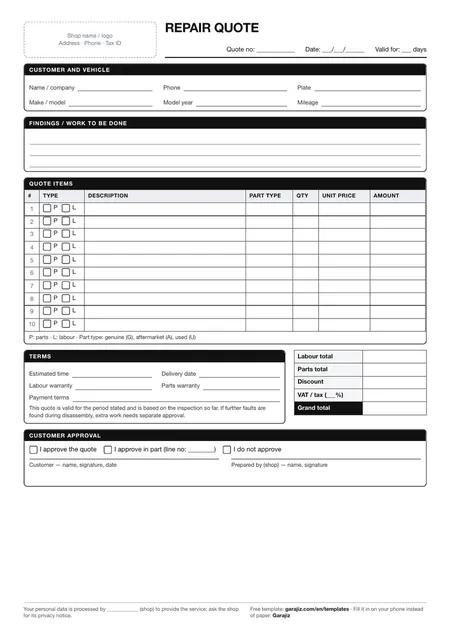
Repair quote form (PDF)
A printable quote form with fields for parts and labour items, VAT and grand total. For anyone who wants to work tidily on paper before switching to software.
05 Questions
Frequently asked.
What does the customer need to do to approve the quote?
They tap the link they received, see the items and approve. No app download or sign-up needed.
What's in the work order / quote PDF?
Your shop details, the customer and vehicle, parts and labour item by item, VAT, grand total, IBAN and a QR code that opens the car's tracking link.
Can the customer approve only some of the extra work?
Yes. Issues found during inspection go to the customer one by one; they approve or postpone each.
Does a quote replace an e-invoice?
No. A quote is a price document. When the job is done, a proforma invoice is created; there is no Turkish e-invoice (e-Fatura / e-Arşiv) integration yet.
06 Related pages
All in the same software.
● Start today
Try it free for 14 days.
No card. Every feature unlocked. No setup.