 garajiz
● Inspection and checklist templates
Vehicle inspection software: item by item, with photos and measurements.
Garajiz's inspection template follows the sections of a pre-purchase inspection report: vehicle identity, body and paint, chassis, engine, gearbox, suspension, brakes, tyres, electrical, OBD and road test. Each item is marked OK, attention or faulty; measurements and photos are added.
01 Headaches you leave behind
What does it solve?
Items are ticked on the phone; measurements and photos on the same record.
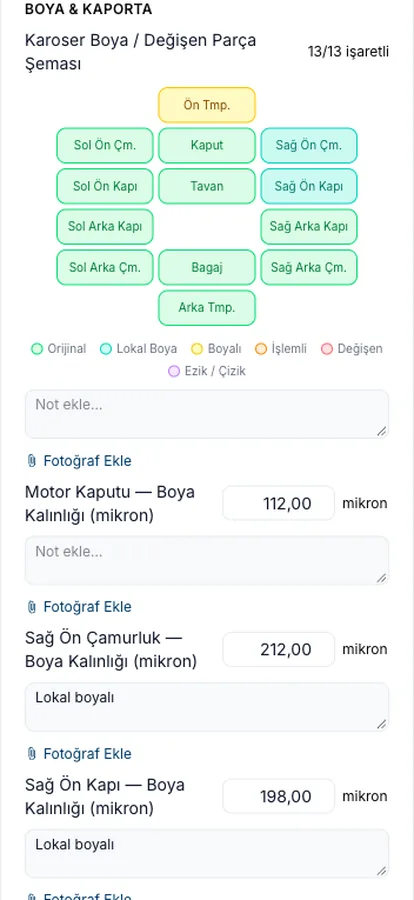
13 panels on the body diagram; a status and micron reading for each.
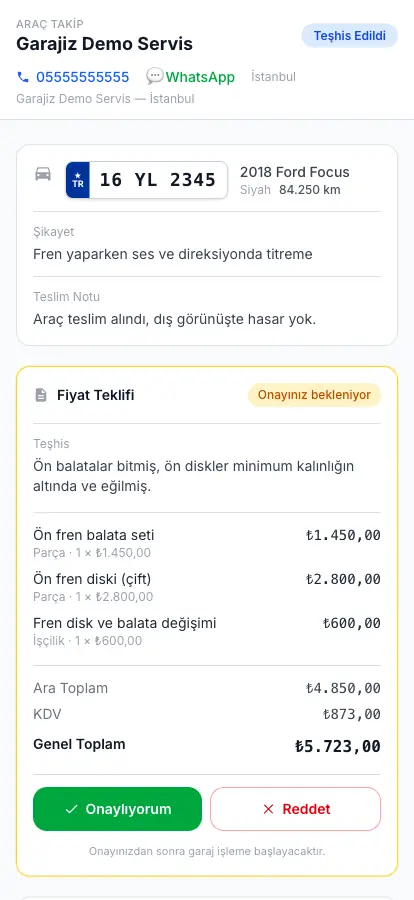
Findings come with photos; the customer sees the result on their own phone.
02 From the workshop
Inspections work in two ways in Garajiz.
The first is in your own shop: when a car is checked in, or a customer brings a car they want to buy, you add the inspection template to the work order. The template adapts to the car's fuel type; an LPG car shows an LPG section, and hybrid and electric cars show high-voltage sections. You can add and remove categories in the inspection template in settings to suit your own routine.
The second is a distributed inspection started by the vehicle owner: the owner creates a request from the Garajiz portal and, for each section (for example body and paint, engine, tyres), picks a shop that specialises in that area; shops are listed with their price and trust score. You set which sections you offer and your price in settings, and complete your section with a result, notes and up to 12 photos.
When every section is complete, the vehicle owner gets a single combined inspection report as a PDF. The report doesn't include the owner's identity; the plate and VIN are partly masked and the content is protected against tampering with a verification hash (SHA-256).
03 Step by step
How does it work?
Open the template
The inspection template is added to the work order; sections follow the car's fuel type.
Tick the items
Each item is OK, attention or faulty; measurements (microns, mm, volts, km) and photos are added.
Body diagram
13 panels are marked original, spot-repainted, repainted, repaired, replaced or dented/scratched.
Share the result
The customer sees the findings from a link; they approve or postpone the ones that need repair.
04 Features
What's included?
No add-on modules: everything below is in Garajiz's single plan, together with every other feature.
- Template based on inspection report sections — identity, body and paint, chassis, engine, gearbox, brakes, tyres, electrical, OBD, road test
- Body paint / replaced panels diagram — 13 panels, 6 states
- Paint thickness per panel — microns
- Measurement fields — tread depth (mm), battery voltage (V), mileage
- Sections by fuel type — LPG, hybrid, electric
- Findings with photos and the customer's decision
- Distributed inspection — set your specialist area and your price
- Combined inspection report (PDF) — contains no personal information
Garajiz doesn't look up TRAMER or insurance damage records; the inspector enters the information from their own lookup in the template's “TRAMER / damage record amount” field. There's no direct connection to paint thickness gauges or diagnostic devices.
● Free template
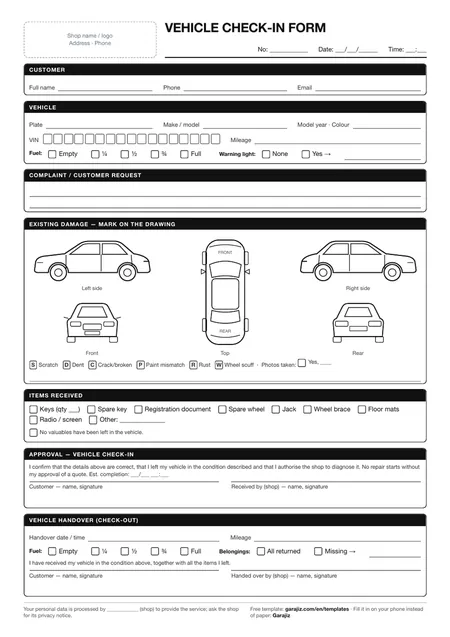
Vehicle check-in form (PDF)
A printable A4 form for mileage, fuel level, a damage diagram and items left with the car. For anyone who wants to work tidily on paper before switching to software.
05 Questions
Frequently asked.
Does Garajiz check the TRAMER damage record?
No. Garajiz doesn't look up damage records (TRAMER is Turkey's insurance damage database). The template has a field for it; you enter the value from your own lookup.
Can I change the inspection template?
Yes. You can add and remove categories in the inspection template in settings; the ready-made template comes with the sections of a pre-purchase inspection report.
How do I get work from distributed inspections?
In settings you enter which sections you specialise in and your price for each. The vehicle owner chooses from specialist shops when creating a request; you complete your section with a result, notes and photos.
Does the inspection report include the vehicle owner's details?
The combined report doesn't include the owner's identity; the plate and VIN are partly masked.
Is inspection a separately charged module?
No. Inspection templates and distributed inspections are in Garajiz's single plan.
06 Related pages
All in the same software.
● Start today
Try it free for 14 days.
No card. Every feature unlocked. No setup.