 garajiz
● Garajiz video
How to prepare a parts and labour quote
Quotes in Garajiz: parts and labour items, quantity and unit price, VAT calculated automatically.
In this video
A quote is made of the parts and labour items written on the work order. You enter a quantity and unit price for each item; VAT and the grand total are calculated automatically.
The same items produce a work order / quote PDF with your shop name, bank details and a QR code to the tracking link. The customer opens the quote from the link; approval or decline is saved on the work order with the date, time and approved amount.
Transcript
Prepare a parts and labour quote in one minute. In the items section, tap plus to add a part or labour. Enter the quantity and unit price. The total is calculated for you. VAT is added automatically, and the quote is ready to send to the customer. Try Garajiz free for 14 days. No credit card needed. garajiz.com
Video: Garajiz · Türkçe
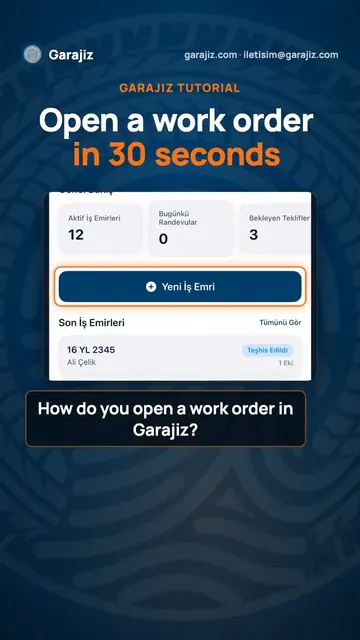 How to open a work order: Garajiz in 30 seconds
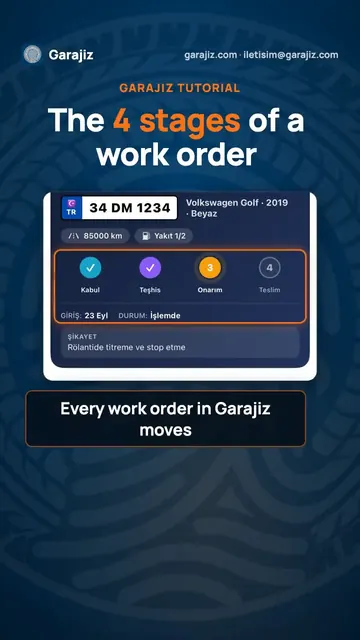 Work order stages: from check-in to delivery
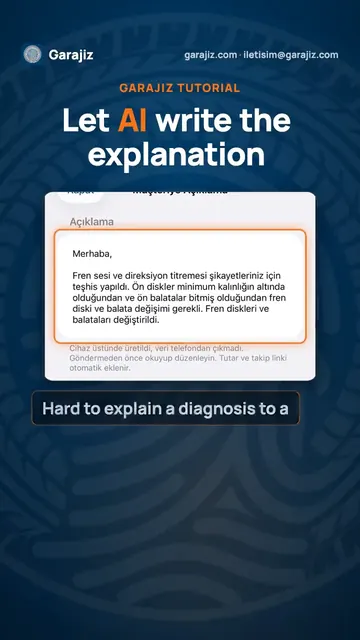 Clear explanations for customers, written by AI
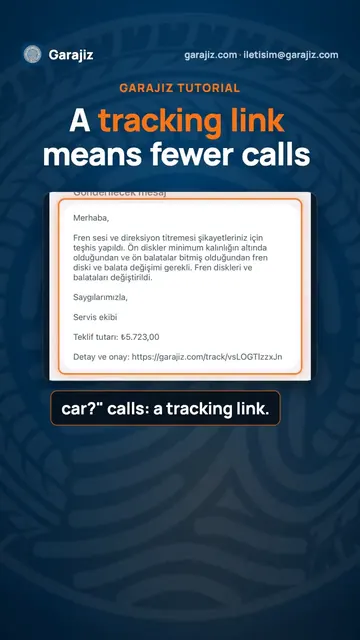 Send customers a tracking link and get fewer calls